A useful home office gift can make daily work feel more comfortable, keep a desk organized, or help someone sound and connect better on calls.
These 13 ideas range from compact accessories to larger upgrades, so you can match the gift to the recipient’s setup and working style.
13 Home Office Tech Gifts for Different Workdays
SABRENT USB-C 6-Port Hub & M.2 SSD Dock

- Connect peripherals through three USB Type-A ports, including two 5Gbps ports and one USB 2.0 port.
- Use the HDMI port for an external display, with output up to 4K@60Hz.
- Add an M.2 SATA or NVMe SSD in the internal slot.
Best Gift For: A laptop user who wants a single hub for peripherals, an external display, wired networking, and added storage.

JLab Go Air Pop+ True Wireless Earbuds
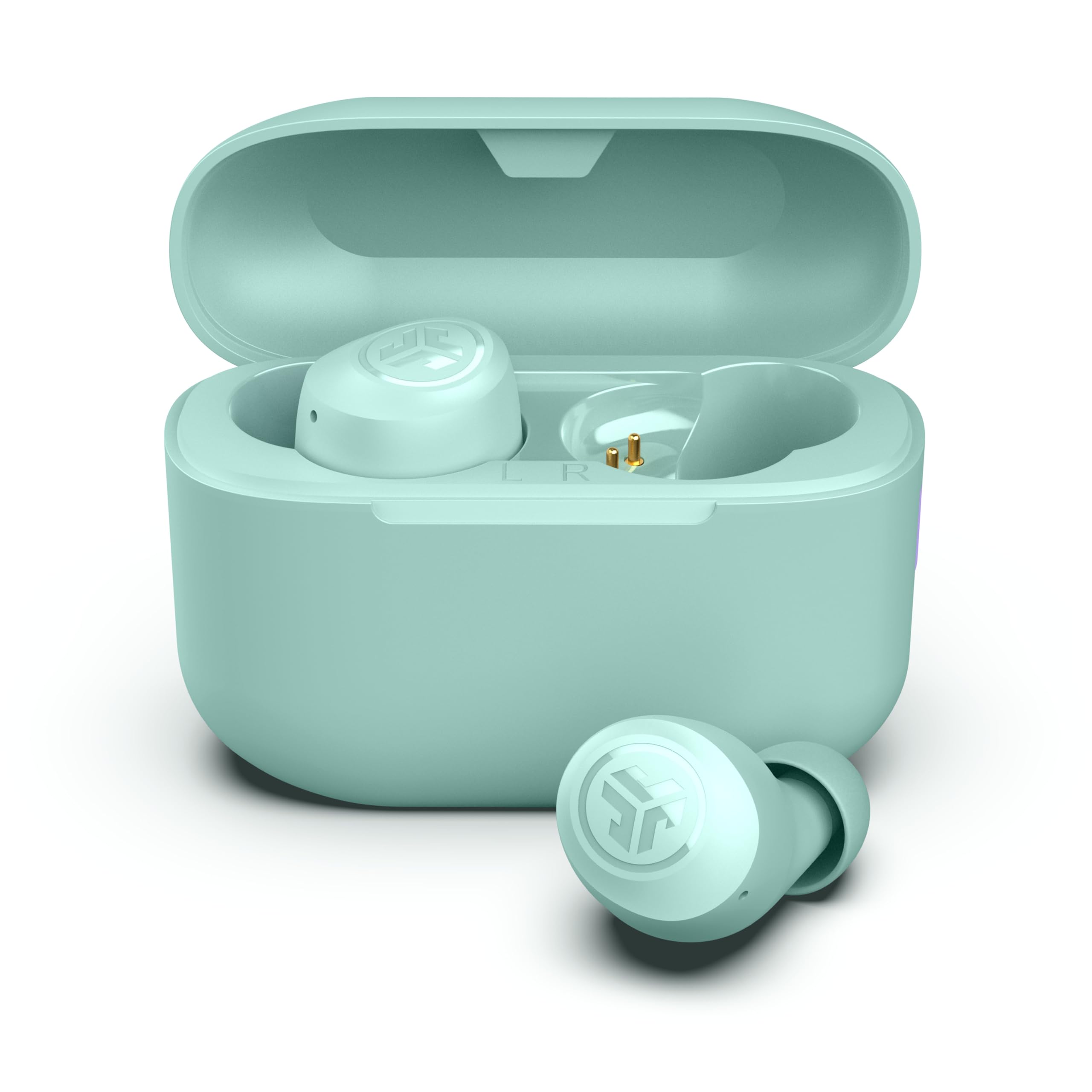
- The earbuds and charging case provide a combined 35+ hours of listening time.
- Choose among three EQ sound signatures to suit podcasts or playlists.
- Use either earbud independently for calls.
Best Gift For: A remote worker who listens to podcasts or takes calls while keeping one ear free.
HUANUO FlowLift Dual Monitor Stand

- Fits screens sized 13 to 32 inches when they meet the mount’s weight and VESA requirements.
- Choose a C-clamp or grommet installation, subject to desk compatibility.
- Cable management guides cords along the arms.
Best Gift For: Someone with two compatible monitors who wants more adjustment and open desk space.
FIFINE T669 USB Condenser Microphone Kit

- Connect to a PC or laptop by USB without additional hardware or drivers.
- The kit includes an adjustable boom arm stand and USB cable.
- A double pop filter helps reduce popping sounds in recordings.
Best Gift For: A home worker who records voiceovers, podcasts, or online conference audio.
Sleek Socket Flat Outlet Concealer with 3ft Cord
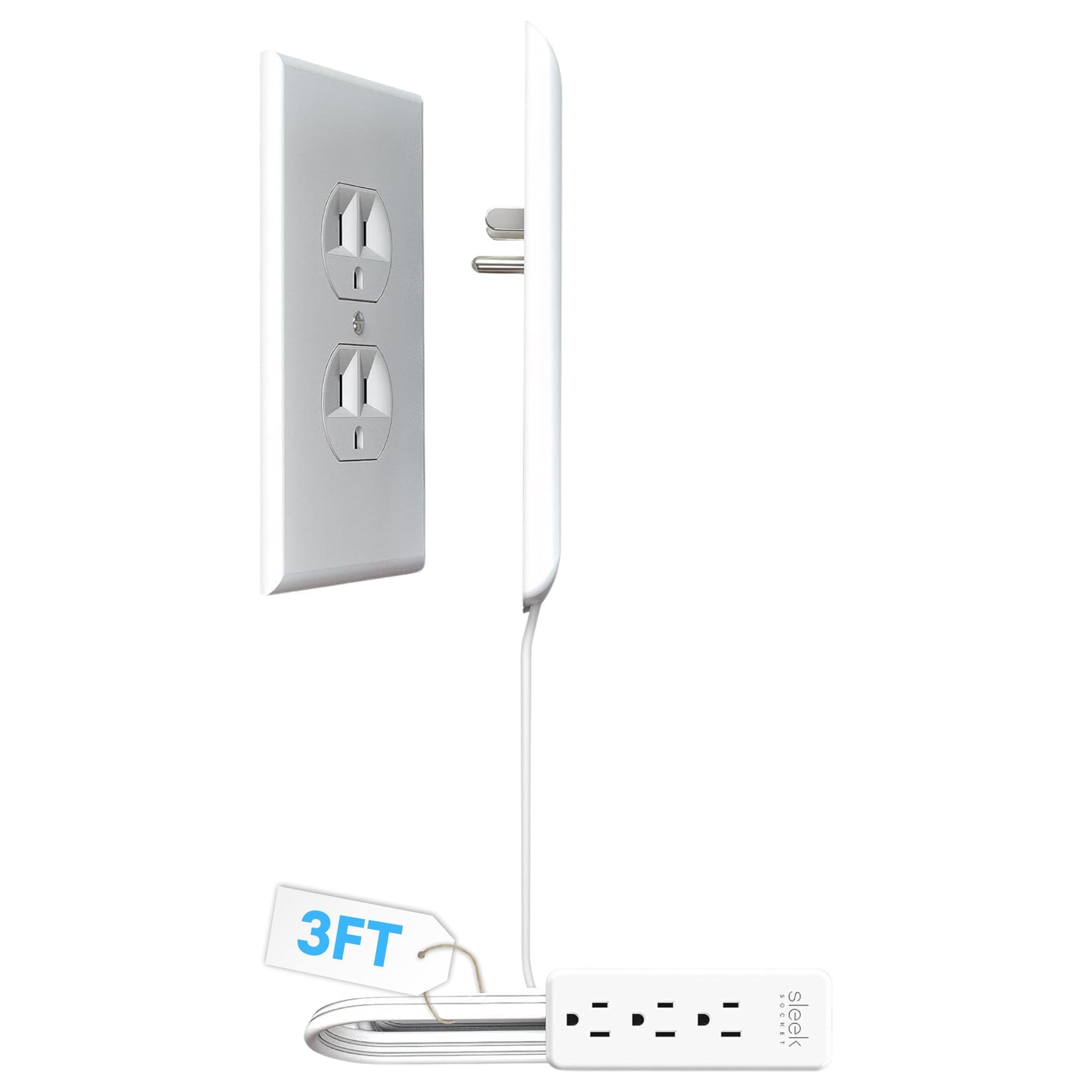
- The 3-foot extension cord is designed for small areas and tidier spaces.
- Includes a 3-outlet power strip.
- The adhesive kit includes removable strips and cord clips.
Best Gift For: Someone who wants to manage visible outlet and power cords in a small workspace.
Nelko P21 Bluetooth Label Maker, Pink
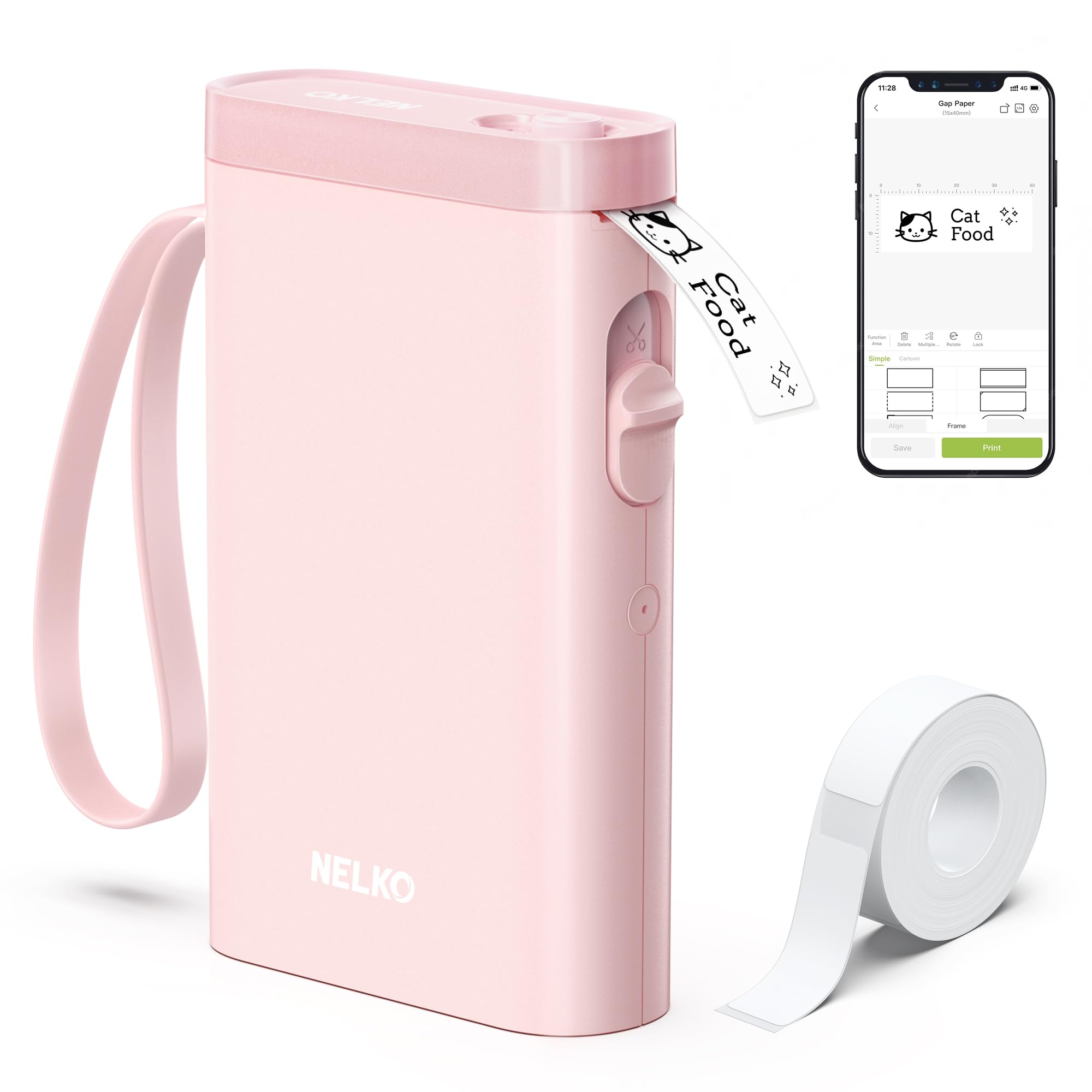
- Connect the label maker to iOS or Android phones through Bluetooth.
- Use app templates and icons to design labels.
- Print monochrome labels without ink or toner using direct thermal technology.
Best Gift For: A home-office worker who likes labeling notebooks, supplies, or storage.
TP-Link Archer AXE75 WiFi 6E Router

- Tri-band WiFi is designed for browsing, streaming, gaming, and downloads at once.
- The 6 GHz band supports more bandwidth for video chatting.
- OneMesh support can extend a network with a TP-Link OneMesh Extender.
Best Gift For: Someone upgrading a home network for work calls, browsing, streaming, and multiple connected devices.
SteelSeries Apex 3 RGB Gaming Keyboard

- Whisper Quiet switches are designed for nearly silent use.
- The magnetic wrist rest provides palm support and comfort.
- Dedicated multimedia controls adjust volume and settings.
Best Gift For: A home worker who wants a keyboard with a wrist rest and quiet switches.
Audioengine A2+ Wireless Computer Speakers

- Connect wirelessly to phones, tablets, and computers with Bluetooth.
- The speakers support wired connections through USB-C, RCA, or 3.5mm AUX inputs.
- Real wood cabinets are hand-finished and custom-tuned.
Best Gift For: Someone who listens to music, podcasts, or video calls at a desk.
Nulaxy Pull-Out Height Adjustable Laptop Stand

- Fits laptops sized 10 to 17 inches.
- The pull handle makes it possible to switch sitting and standing positions.
- The stand supports up to 22 lbs.
Best Gift For: A laptop user who switches between sitting and standing at a desk.
MAONO Wave T5 Wireless Lavalier Microphone

- The microphone records at 48kHz/24-bit.
- Choose among four voice filters.
- The charging case provides 40 hours of total use.
Best Gift For: A remote presenter or creator who records video and wants a wireless microphone.
LISEN 0.5'' Ultra Slim MagSafe Power Bank
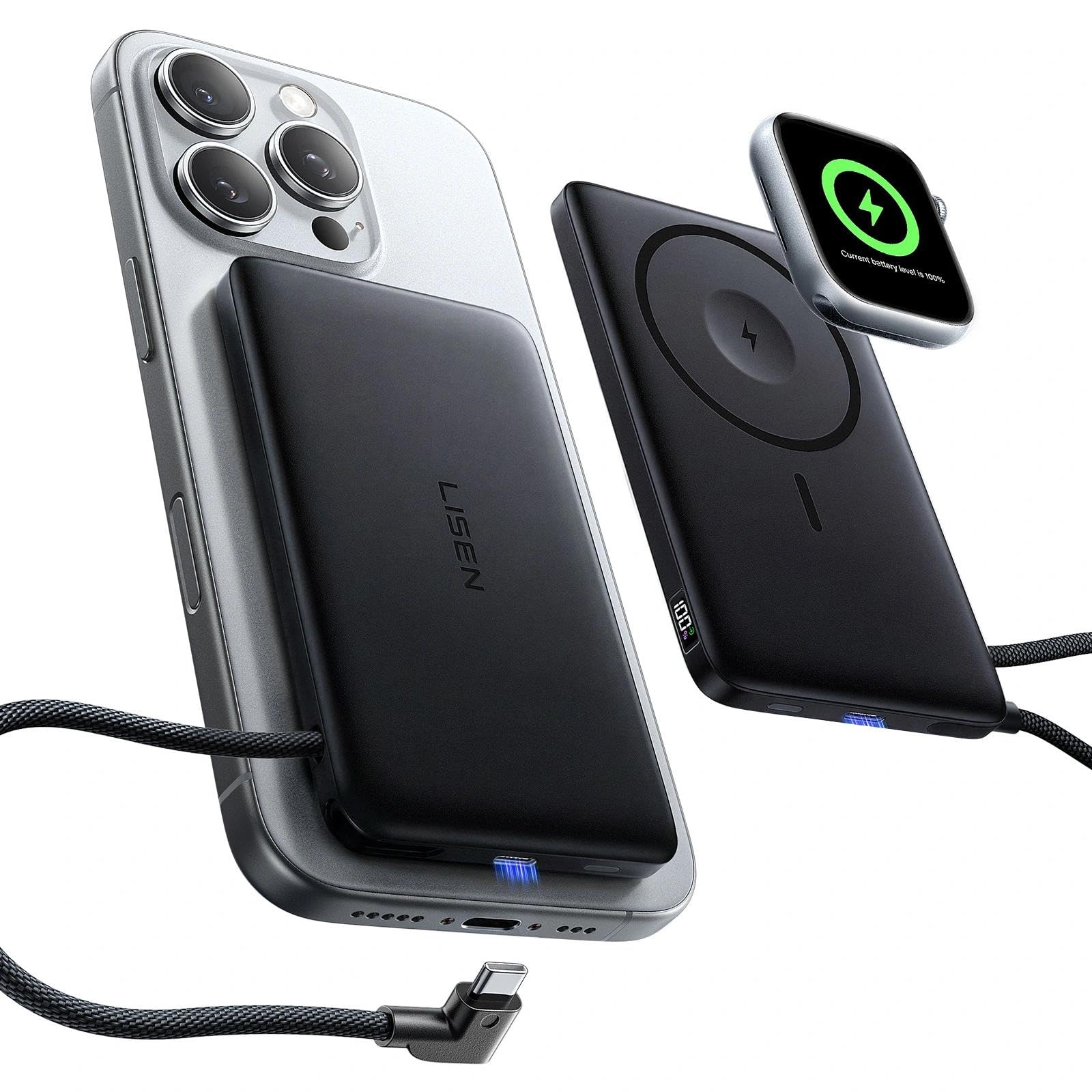
- The power bank has a 10000mAh capacity.
- A built-in USB-C cable supports 20W fast charging.
- The digital display shows remaining power and charging status.
Best Gift For: An Apple-device user who wants portable charging for an iPhone and Apple Watch.
SABRENT USB-C & USB-A SD Card Reader

- Use its USB-C and USB-A connections with supported devices.
- The dual slots support SD and Micro SD cards.
- Plug and Play design requires no drivers or software.
Best Gift For: A laptop user who transfers photos or files from SD and Micro SD cards.
Choose Home Office Tech Gifts Around the Workday
For home office tech gifts, start with the moment the recipient most wants to improve. Someone who spends the day on calls may appreciate clearer audio, while a laptop user moving between projects may need a simpler way to connect accessories.
Think about whether the gift should solve a recurring annoyance or make a familiar routine more comfortable.
Look at the desk as it is actually used: a compact shared table, a dedicated two-screen station, or a corner that doubles as a living space. A small organizing accessory can suit a tight setup, while a larger stand or network upgrade makes more sense when the person has room and control over installation.
Consider the recipient’s work habits before choosing a device. Do they frequently switch between sitting and standing, transfer camera files, or listen to audio while working?
A gift tied to an existing habit is more likely to be used than a feature-rich item that asks them to change their routine.
Balance the Budget With the Setup
Set a comfortable spending range before choosing among these home office tech gifts, then weigh the whole setup rather than the headline feature. A modest accessory can be a thoughtful standalone present, or it can complement a larger upgrade when several people are contributing together.
For a larger item, check compatibility before buying. Confirm the recipient’s computer connections, monitor mounting points, available desk space, and the devices they need to connect.
For charging and audio products, check device compatibility and the cables or ports already in use; a well-matched practical gift is more useful than a more elaborate one that does not fit.
Check actual prices close to purchase, since they can change. If the best fit stretches the budget, consider pairing a simpler accessory with a handwritten offer to help set it up, or choose a useful smaller item the recipient can use right away.
Personalize and Present Home Office Tech Gifts
The most thoughtful home office tech gifts reflect how someone likes to work. A frequent video caller may value a calmer audio setup, while a person who keeps notes and supplies visible may enjoy tools that help make their space easier to navigate.
A brief note explaining why you chose it can make even a practical accessory feel personal.
Presentation can connect the gift to the recipient’s workspace. Wrap a small accessory with a notebook or a favorite desk snack, or place a larger item in a simple box with a card describing the kind of workday it might support.
Keep the packaging easy to open if you expect to help with setup.
You can also make the gift an invitation to spend time together: offer to organize cords, adjust the desk layout, or label shared supplies. Ask before changing a workspace, especially if it is shared or carefully arranged.
Let the recipient decide where a new item belongs and how they want to use it.
Check Fit and Timing Before You Buy
A last-minute home office gift still benefits from a few careful checks. Review the current product details, device compatibility, dimensions, and connection requirements before placing an order.
For desk-mounted items, confirm that the recipient’s furniture and monitors can support the chosen setup.
Check delivery estimates for the destination and order date, and leave room for delays during busy seasons. If timing is tight, a local purchase or a printed card describing the gift can preserve the occasion, with the item to follow when it arrives.
Verify current pickup or delivery options directly before relying on them.
For a gift that needs installation or pairing, include a short offer to help the recipient get started. Keep the original packaging until compatibility is confirmed, and let the recipient choose when to set it up.
This makes a practical technology gift easier to receive without creating pressure to rearrange a working space immediately.
Make the Choice Easy to Use
A useful office gift should feel straightforward once it reaches the desk. Before wrapping, make sure the recipient can find the basic setup instructions and any included parts, and consider whether they may need an adapter or a compatible device they already own.
Think about upkeep as well as the first impression: where a device will sit, how its cables will route, and whether it fits the recipient’s existing routine. Keep your note brief and specific, such as suggesting it for a clearer call setup or a tidier work surface, rather than promising a particular result.
When the recipient opens it, give them room to decide whether and when to install it. A relaxed offer to help with setup can be more useful than unrequested changes.
Practical details, considerate timing, and a little personalization can turn a straightforward accessory into a welcome part of someone’s workday.